Connected: {publicKey?.toString().slice(0, 8)}...
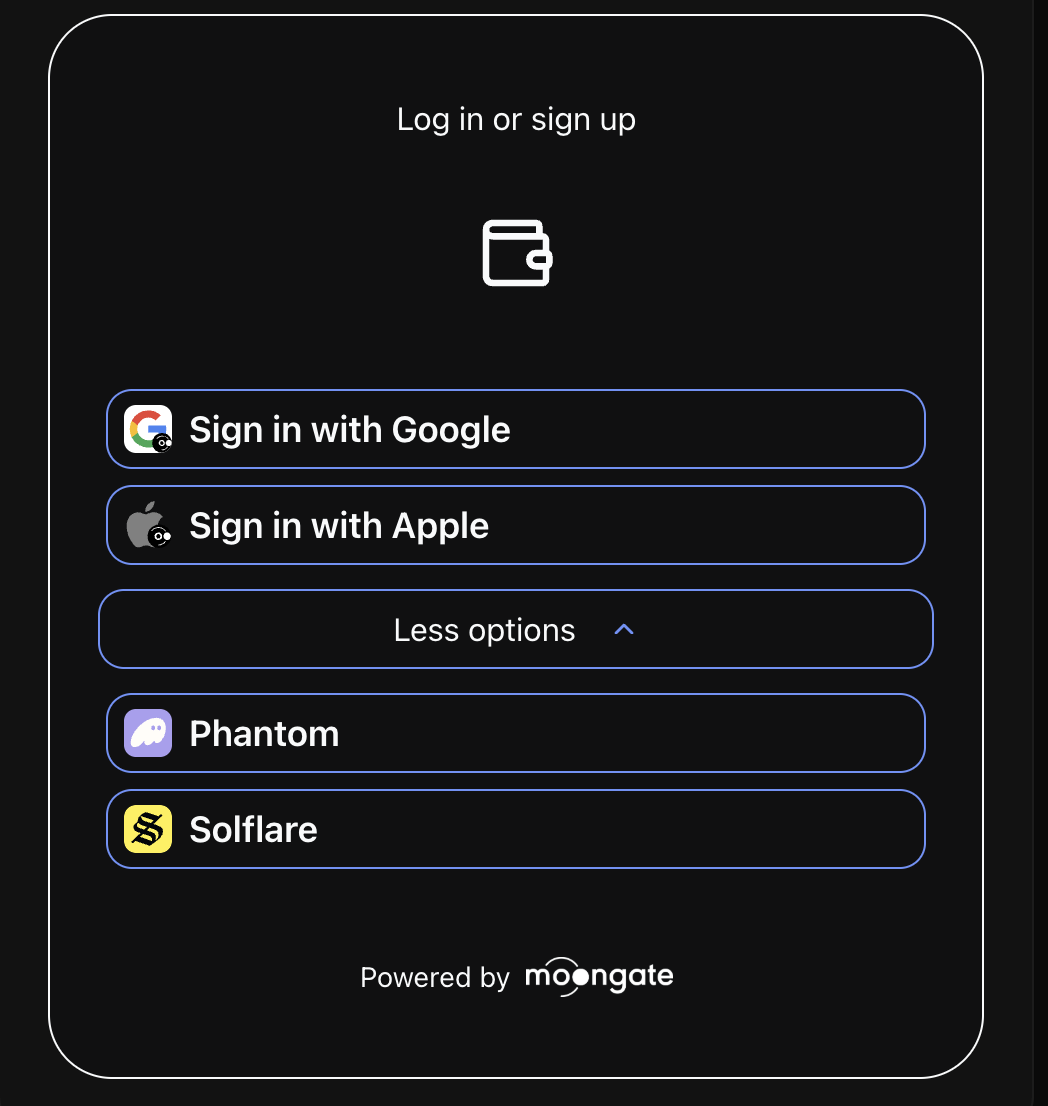 ## ⚡ Quick Start
Get up and running in just 2 simple steps:
## ⚡ Quick Start
Get up and running in just 2 simple steps:
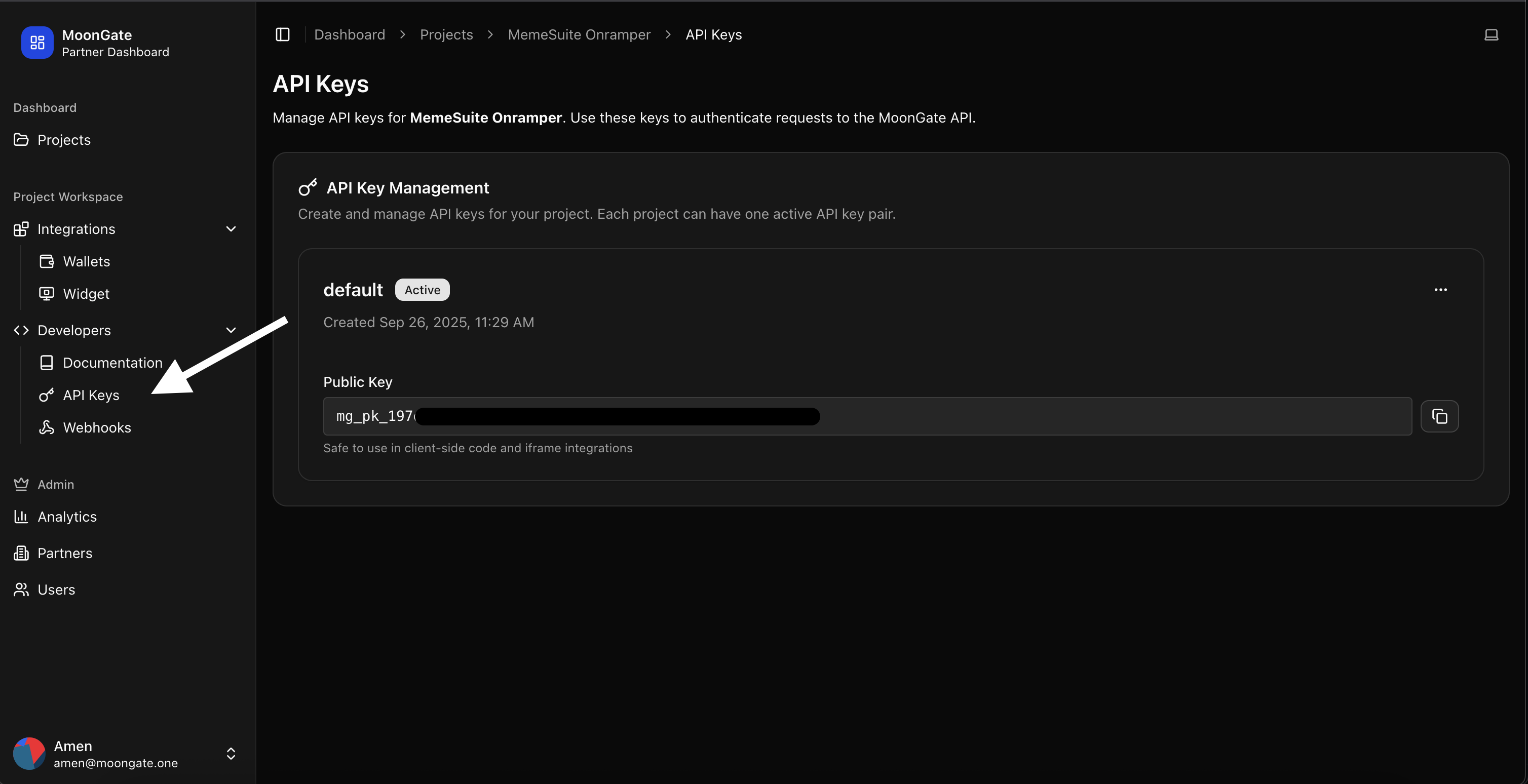 ## Next Steps
Once you have your API key, continue with the [integration guide](/authentication/moongate-sdk/react) to complete your setup.
## 🆘 Need Help?
* 📧 Email: [amen@moongate.one](mailto:amen@moongate.one) or [praneet@moongate.one](mailto:praneet@moongate.one)
* 💬 Telegram: [@and\_its\_praneet](https://t.me/and_its_praneet)
* 🐛 Issues: Message us on [web.moongate.one](https://web.moongate.one)
# Troubleshooting
Source: https://docs.moongate.one/authentication/moongate-adapter/troubleshooting
Common issues and solutions for Moongate Adapter integration.
## 🔧 Installation Issues
### Package Not Found
**Problem**: `npm install @moongate/sdk` fails with "package not found"
**Solutions**:
* Verify you have internet connection
* Clear npm cache: `npm cache clean --force`
* Try with yarn: `yarn add @moongate/sdk`
* Check if you're behind a corporate firewall
```bash theme={null}
# Clear npm cache and retry
npm cache clean --force
rm -rf node_modules package-lock.json
npm install
```
### TypeScript Errors
**Problem**: TypeScript compilation errors with Moongate Adapter
**Solutions**:
* Ensure you're using TypeScript 4.0+
* Add type declarations if needed
* Check your `tsconfig.json` configuration
```json tsconfig.json theme={null}
{
"compilerOptions": {
"moduleResolution": "node",
"allowSyntheticDefaultImports": true,
"esModuleInterop": true,
"jsx": "react-jsx"
}
}
```
## 🔑 API Key Issues
### Invalid API Key
**Problem**: "Invalid API key" error when using the Adapter
**Solutions**:
* Verify your API key is correct (no extra spaces)
* Check if your account is approved in the partner dashboard
* Ensure you're using the right environment (dev/prod)
```tsx theme={null}
// Correct API key usage
## Next Steps
Once you have your API key, continue with the [integration guide](/authentication/moongate-sdk/react) to complete your setup.
## 🆘 Need Help?
* 📧 Email: [amen@moongate.one](mailto:amen@moongate.one) or [praneet@moongate.one](mailto:praneet@moongate.one)
* 💬 Telegram: [@and\_its\_praneet](https://t.me/and_its_praneet)
* 🐛 Issues: Message us on [web.moongate.one](https://web.moongate.one)
# Troubleshooting
Source: https://docs.moongate.one/authentication/moongate-adapter/troubleshooting
Common issues and solutions for Moongate Adapter integration.
## 🔧 Installation Issues
### Package Not Found
**Problem**: `npm install @moongate/sdk` fails with "package not found"
**Solutions**:
* Verify you have internet connection
* Clear npm cache: `npm cache clean --force`
* Try with yarn: `yarn add @moongate/sdk`
* Check if you're behind a corporate firewall
```bash theme={null}
# Clear npm cache and retry
npm cache clean --force
rm -rf node_modules package-lock.json
npm install
```
### TypeScript Errors
**Problem**: TypeScript compilation errors with Moongate Adapter
**Solutions**:
* Ensure you're using TypeScript 4.0+
* Add type declarations if needed
* Check your `tsconfig.json` configuration
```json tsconfig.json theme={null}
{
"compilerOptions": {
"moduleResolution": "node",
"allowSyntheticDefaultImports": true,
"esModuleInterop": true,
"jsx": "react-jsx"
}
}
```
## 🔑 API Key Issues
### Invalid API Key
**Problem**: "Invalid API key" error when using the Adapter
**Solutions**:
* Verify your API key is correct (no extra spaces)
* Check if your account is approved in the partner dashboard
* Ensure you're using the right environment (dev/prod)
```tsx theme={null}
// Correct API key usage
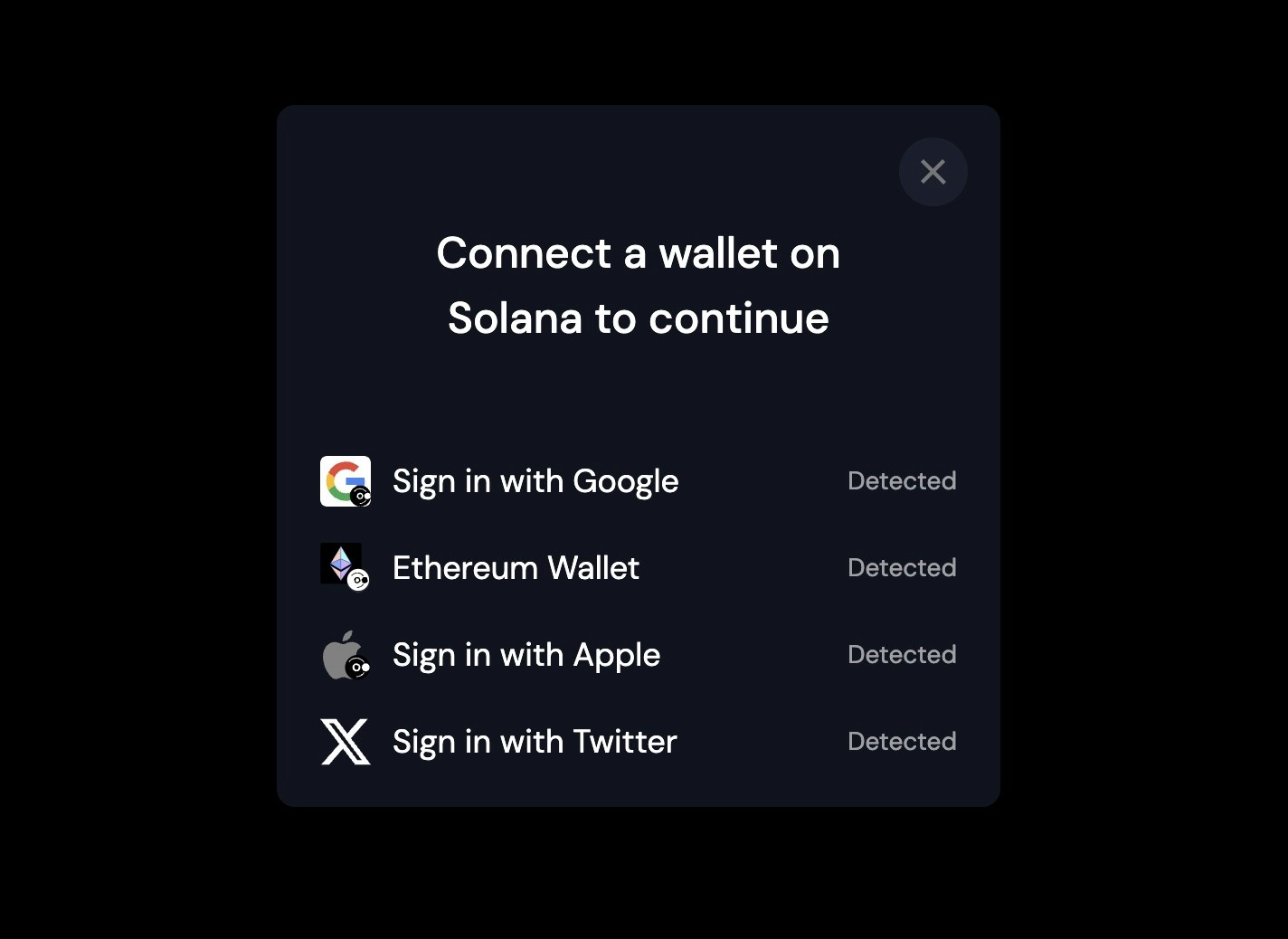 ## Installation
### Prerequisites
* Node.js 16+
* React 18+
* Solana Web3.js
* Solana Wallet Adapter packages
### Install Dependencies
```bash theme={null}
# Install Inject Moongate Wallet
npm install @moongate/moongate-adapter
# Install required Solana wallet adapter packages
npm install @solana/wallet-adapter-base @solana/wallet-adapter-react @solana/wallet-adapter-react-ui @solana/web3.js
```
### Package Dependencies
Inject Moongate Wallet requires the following peer dependencies:
```json theme={null}
{
"@moongate/solana-wallet-sdk": "^3.3.4",
"@solana/wallet-standard-features": "^1.2.0",
"@solana/wallet-standard-chains": "^1.1.0",
"@solana/wallet-standard-util": "^1.1.1",
"@wallet-standard/app": "^1.0.1",
"@wallet-standard/base": "^1.0.1",
"@wallet-standard/wallet": "^1.0.1",
"@wallet-standard/features": "^1.0.1",
"bs58": "^6.0.0",
"@solana/web3.js": "^1.91.8"
}
```
## Wallet Registration
### Basic Registration
```typescript theme={null}
import { registerMoonGateWallet } from '@moongate/moongate-adapter';
// Register with Google authentication
registerMoonGateWallet({
authMode: 'Google',
environment: 'production',
});
// Register with Apple authentication
registerMoonGateWallet({
authMode: 'Apple',
environment: 'production',
});
// Register with Ethereum authentication
registerMoonGateWallet({
authMode: 'Ethereum',
environment: 'production',
});
registerMoonGateWallet({
authMode: 'Twitter',
environment: 'production',
});
```
### Configuration Options
| Parameter | Type | Default | Description |
| --------------- | -------- | ---------------------------------------- | ----------------------------------------------------------------------- |
| `authMode` | `string` | `'Google'` | Authentication provider ('Google', 'Apple', 'Ethereum', 'Twitter') |
| `logoDataUri` | `string` | `'Default'` | Custom logo data URI for the wallet |
| `position` | `string` | `'top-right'` | Modal position ('top-right', 'top-left', 'bottom-right', 'bottom-left') |
| `buttonLogoUri` | `string` | `'https://i.ibb.co/NjxF2zw/Image-3.png'` | Button logo URI |
| `environment` | `string` | `'production'` | Environment ('production', 'staging', 'development') |
| `displayState` | `string` | `undefined` | Display state ('fullscreen', 'minimized', 'hidden') |
### Example Configuration
```typescript theme={null}
registerMoonGateWallet({
authMode: 'Google',
logoDataUri: 'data:image/svg+xml;base64,PHN2ZyB3aWR0aD0iMTcxIiBoZWlnaHQ9IjE3MyI...',
position: 'top-right',
buttonLogoUri: 'https://your-custom-logo.com/logo.png',
environment: 'staging',
displayState: 'fullscreen',
});
```
## 🆘 Need Help?
* 📧 Email: [amen@moongate.one](mailto:amen@moongate.one) or [praneet@moongate.one](mailto:praneet@moongate.one)
* 💬 Telegram: [@and\_its\_praneet](https://t.me/and_its_praneet)
* 🐛 Issues: Message us on [web.moongate.one](https://web.moongate.one)
# Troubleshooting
Source: https://docs.moongate.one/authentication/moongate-wallet/troubleshooting
Common issues and solutions for Inject Moongate Wallet
# Troubleshooting
## Common Issues
### Wallet Not Appearing in Modal
**Problem**: The Moongate wallet doesn't appear in the wallet selection modal.
**Possible Causes**:
* Wallet not registered before WalletProvider initialization
* Incorrect wallet name used in select()
* Missing peer dependencies
**Solutions**:
1. **Ensure proper registration order**:
```typescript theme={null}
// ✅ Correct - Register before app initialization
import { registerMoonGateWallet } from '@moongate/moongate-adapter';
registerMoonGateWallet({
authMode: 'Google',
environment: 'production'
});
// Then initialize your app
ReactDOM.render(
## Installation
### Prerequisites
* Node.js 16+
* React 18+
* Solana Web3.js
* Solana Wallet Adapter packages
### Install Dependencies
```bash theme={null}
# Install Inject Moongate Wallet
npm install @moongate/moongate-adapter
# Install required Solana wallet adapter packages
npm install @solana/wallet-adapter-base @solana/wallet-adapter-react @solana/wallet-adapter-react-ui @solana/web3.js
```
### Package Dependencies
Inject Moongate Wallet requires the following peer dependencies:
```json theme={null}
{
"@moongate/solana-wallet-sdk": "^3.3.4",
"@solana/wallet-standard-features": "^1.2.0",
"@solana/wallet-standard-chains": "^1.1.0",
"@solana/wallet-standard-util": "^1.1.1",
"@wallet-standard/app": "^1.0.1",
"@wallet-standard/base": "^1.0.1",
"@wallet-standard/wallet": "^1.0.1",
"@wallet-standard/features": "^1.0.1",
"bs58": "^6.0.0",
"@solana/web3.js": "^1.91.8"
}
```
## Wallet Registration
### Basic Registration
```typescript theme={null}
import { registerMoonGateWallet } from '@moongate/moongate-adapter';
// Register with Google authentication
registerMoonGateWallet({
authMode: 'Google',
environment: 'production',
});
// Register with Apple authentication
registerMoonGateWallet({
authMode: 'Apple',
environment: 'production',
});
// Register with Ethereum authentication
registerMoonGateWallet({
authMode: 'Ethereum',
environment: 'production',
});
registerMoonGateWallet({
authMode: 'Twitter',
environment: 'production',
});
```
### Configuration Options
| Parameter | Type | Default | Description |
| --------------- | -------- | ---------------------------------------- | ----------------------------------------------------------------------- |
| `authMode` | `string` | `'Google'` | Authentication provider ('Google', 'Apple', 'Ethereum', 'Twitter') |
| `logoDataUri` | `string` | `'Default'` | Custom logo data URI for the wallet |
| `position` | `string` | `'top-right'` | Modal position ('top-right', 'top-left', 'bottom-right', 'bottom-left') |
| `buttonLogoUri` | `string` | `'https://i.ibb.co/NjxF2zw/Image-3.png'` | Button logo URI |
| `environment` | `string` | `'production'` | Environment ('production', 'staging', 'development') |
| `displayState` | `string` | `undefined` | Display state ('fullscreen', 'minimized', 'hidden') |
### Example Configuration
```typescript theme={null}
registerMoonGateWallet({
authMode: 'Google',
logoDataUri: 'data:image/svg+xml;base64,PHN2ZyB3aWR0aD0iMTcxIiBoZWlnaHQ9IjE3MyI...',
position: 'top-right',
buttonLogoUri: 'https://your-custom-logo.com/logo.png',
environment: 'staging',
displayState: 'fullscreen',
});
```
## 🆘 Need Help?
* 📧 Email: [amen@moongate.one](mailto:amen@moongate.one) or [praneet@moongate.one](mailto:praneet@moongate.one)
* 💬 Telegram: [@and\_its\_praneet](https://t.me/and_its_praneet)
* 🐛 Issues: Message us on [web.moongate.one](https://web.moongate.one)
# Troubleshooting
Source: https://docs.moongate.one/authentication/moongate-wallet/troubleshooting
Common issues and solutions for Inject Moongate Wallet
# Troubleshooting
## Common Issues
### Wallet Not Appearing in Modal
**Problem**: The Moongate wallet doesn't appear in the wallet selection modal.
**Possible Causes**:
* Wallet not registered before WalletProvider initialization
* Incorrect wallet name used in select()
* Missing peer dependencies
**Solutions**:
1. **Ensure proper registration order**:
```typescript theme={null}
// ✅ Correct - Register before app initialization
import { registerMoonGateWallet } from '@moongate/moongate-adapter';
registerMoonGateWallet({
authMode: 'Google',
environment: 'production'
});
// Then initialize your app
ReactDOM.render(